I Vibe-Coded a CamMan Assistant to Cure My Storage-Card Anxiety
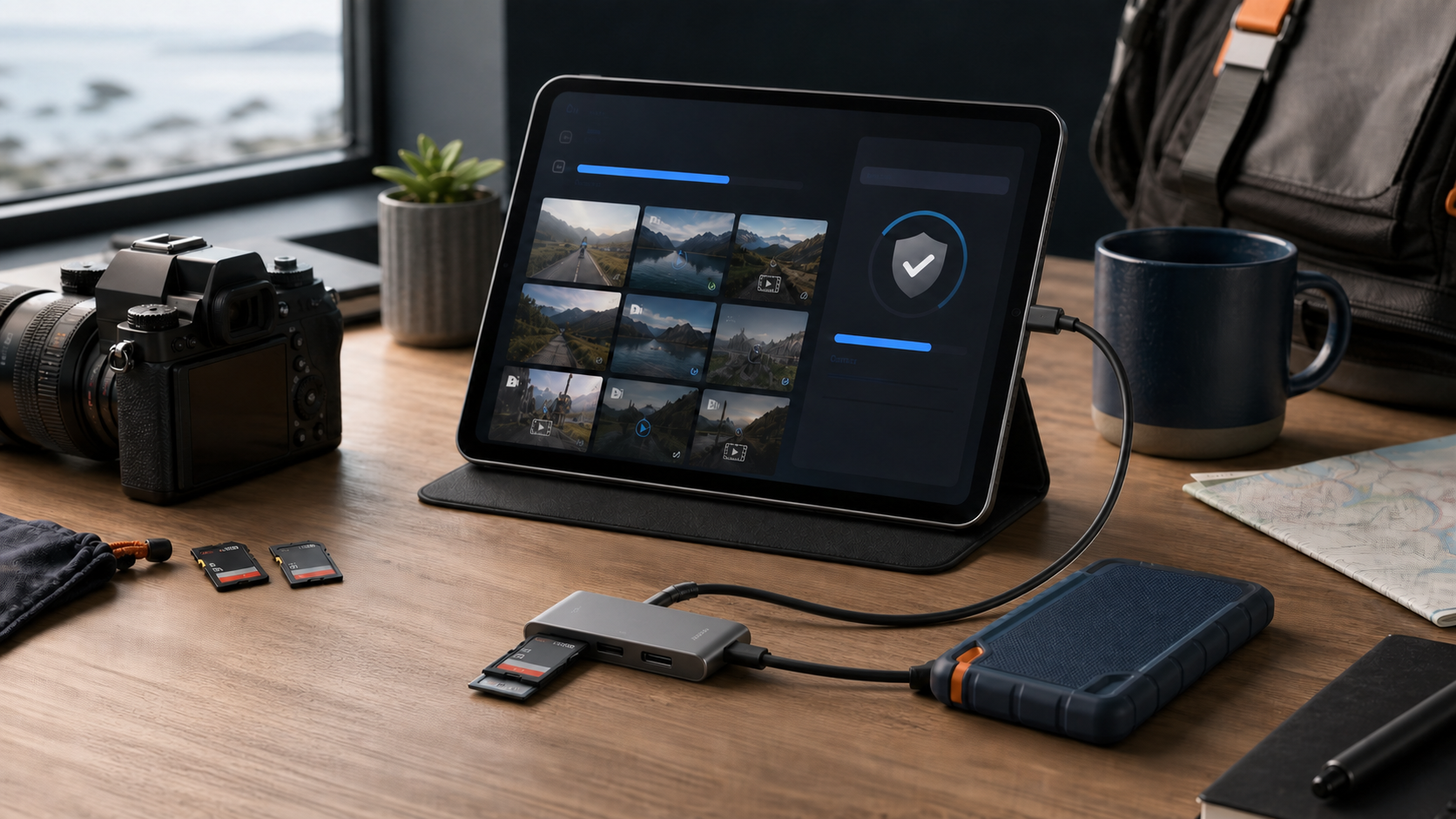
As camera gear keeps evolving, those of us who love documenting life through the lens share one recurring anxiety before every shoot: will the cards I bring be enough?
Deep-pocketed shooters can shrug this off. For the budget-conscious like me, buying a second card for every body is out of the question—Sony cameras in particular only hit peak performance with high-speed cards, and the price of those… well.
The Old Way: Laptop + Card Reader
The most "orthodox" solution is to carry a laptop and a card reader, then slowly offload files back at the hotel every night.
I'll refrain from commenting on that one… After hauling a camera around all day, who wants to babysit a copy progress bar at night? For travelers, the laptop is precisely the item you least want to pack. And what if you need to offload cards outdoors? You can't exactly carry a laptop everywhere.
The Once-Closest-to-Ideal Option: Dedicated Card Duplicators
Later I bought a Dazuipan drive enclosure with a built-in card reader and automatic copying: mount a drive, insert a card, and let it churn away on its own.
That was once the closest thing to my ideal: no computer needed—plug the card in before bed, wake up to everything copied onto the drive.
But it introduced new anxieties: every extra device means one more battery to charge and more weight to carry; checking whether the copy finished, or how far along it was, required their companion app—and I'll spare you a review of vendor apps like that; and finally, in the year 2026, hard-drive prices…
The Modern Approach: Phone + Card Reader + Portable SSD
As phones grow more capable, the most direct solution today is to connect a card reader and a portable SSD straight to an iPhone or iPad, then drag the DCIM folder over in the Files app.
Technically that's not hard. What really stops you from tapping "Erase" is what comes next:
- Is a file complete just because the progress bar hit 100%?
- Does the file on the target drive truly match the source?
- Was a name collision overwritten, skipped, or simply never copied?
- Did Live Photos, bursts, and multi-resource assets lose their paired files?
- What's left on the card—thumbnails, or originals that never got exported?
What mobile card offloading rarely lacks is yet another file manager; what it lacks is "one verifiable, recoverable, trackable process."
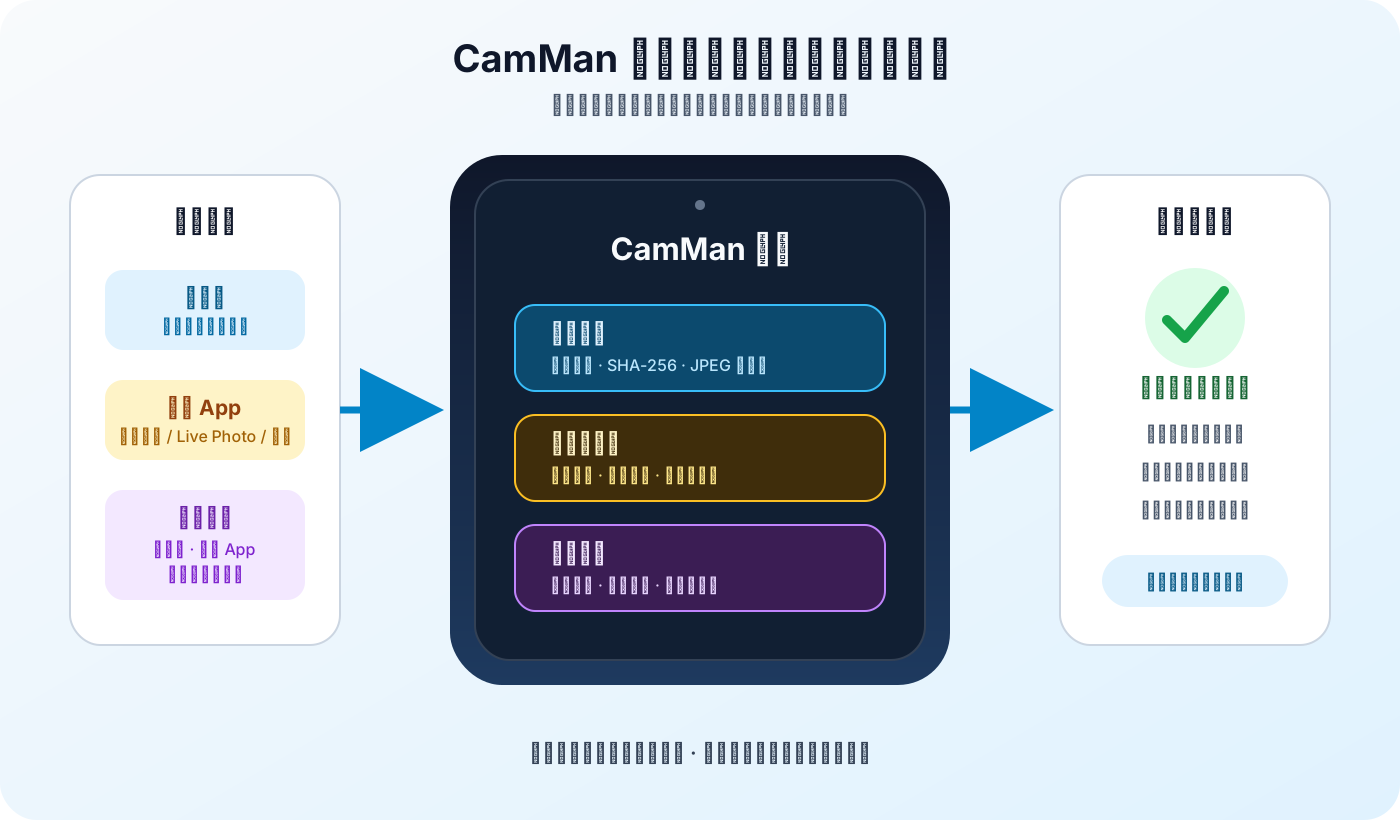
That's exactly why I built CamMan. It's first and foremost a mobile photography-asset tool for iPhone and iPad, aiming to close the most error-prone gap between "done shooting" and "safely on disk."
Competitors First: Three Ways to Back Up Without a Computer
Camera Notes recently covered the KOCARD Go in Back Up Photos and Videos Without a Computer. It integrates a mobile SSD, SD and microSD card readers, a magnetic mount, and PD passthrough into a single unit, with the companion app handling verification, resumable transfers, transcoding, and cloud sync.
It nails the same pain point: phones and tablets usually have just one USB-C port, so readers, drives, and power easily daisy-chain into a "cable tree."
There are also standalone duplicators like Dazuipan. Instead of centering on a phone app, they pack a screen, battery, card slots, and an internal drive bay into one dedicated device. Take the published specs of the PD800: different variants cover SD, XQD, CF, or CFast, plus dual-target backup, Wi-Fi access, and drive SMART monitoring.
CamMan takes the third route: it doesn't bind you to one specific drive. Instead, it adds a layer of photography-specific verification, reporting, and delete-source review on top of the iPhone/iPad, card reader, and portable SSD you already own.
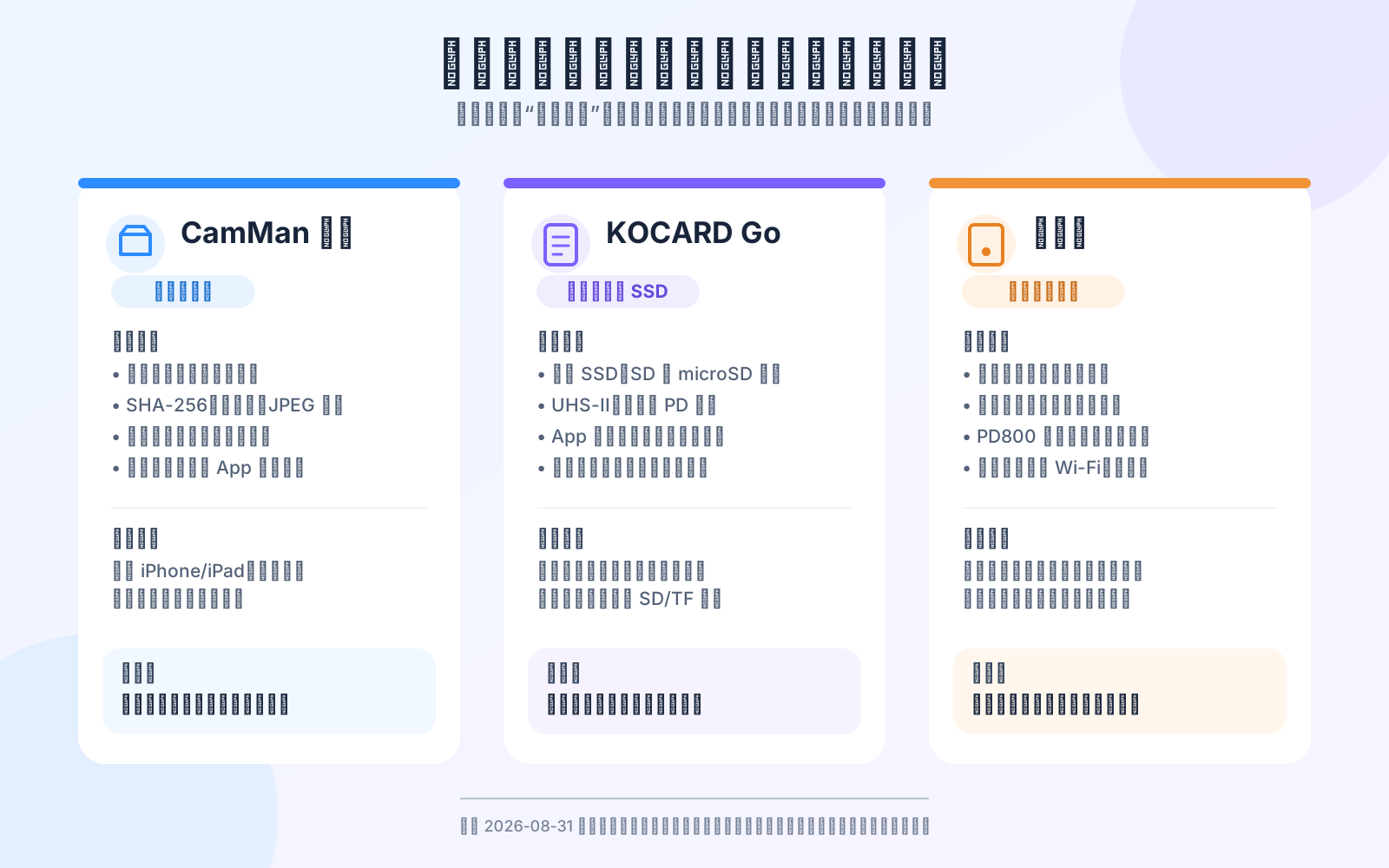
| Dimension | CamMan | KOCARD Go | Dazuipan (PD800 as an example) |
|---|---|---|---|
| Form factor | iPhone/iPad app | SSD + SD/TF reader + app in one unit | Standalone duplicator with screen, battery, and internal drive bay |
| Storage choice | Any external drive and target folder you choose | Built-in 1TB/2TB SSD | Depends on model and drive configuration |
| Card types | Decided by your card reader | Built-in SD, microSD, UHS-II | Variants cover SD, XQD, CF, CFast, etc. |
| Integrity | Byte counts, SHA-256, JPEG integrity checks | App-level hash verification and auto resume | Public specs highlight dual backup and SMART; file-level checks vary by model |
| Workflow focus | Multi-card queue, conflict/leftover reports, Photos-library original resources, delete-source review | Fewer cables, transcoding, phone/SSD/cloud multi-path | Works standalone from the phone, on-device screen operation, specific card types |
| Main trade-off | Bring your own mobile device, reader, drive, and power | Must buy designated hardware; advanced workflows involve membership | One more dedicated device to carry; large differences between models |
KOCARD Go: An Entire Hardware Chain in One SSD
KOCARD's official hardware page shows a dual-slot design for SD 4.0 and microSD, with UHS-II, 10Gbps Type-C, magnetic mounting, and PD passthrough; the official app page describes hash verification, resumable transfers, compression, and multi-path sync.
This means the KOCARD Go isn't just "an enclosure with a reader." Like CamMan, it recognizes that plain copying isn't enough and builds integrity checks into the workflow. Its obvious advantage is integration: if you mainly shoot SD/TF and want fewer adapters and cables, dedicated hardware is tidier than piecing a kit together yourself.
The trade-offs: you must buy their designated hardware; advanced workflows are tied to membership tiers; the built-in slots mainly serve SD/TF. Before buying, double-check regional availability, street prices, capacities, and membership plans—these can change before launch.
Dazuipan: Independent Backup Without a Phone
Dazuipan feels like a continuation of the "digital companion" idea. Screen, battery, and internal drive bay are all built in; once a drive is configured, inserting a card performs on-site backup without occupying your phone or tablet.
That independence matters in two scenarios: your phone needs to keep navigating, communicating, or shooting; or your camera uses XQD, CF, or CFast—card types that phone card readers rarely handle.
But Dazuipan isn't a single product with uniform specs. The PD600, PD700, PD800, and MC550 differ in card slots, drives, speed, Wi-Fi, and recovery capabilities. Public materials also don't confirm that every model offers file-level hash verification comparable to CamMan or KOCARD. The fair way to compare is to lock onto a specific model and check item by item, not to extrapolate one unit's abilities across the whole brand.
CamMan: No Drives or Readers for Sale—Just the Offloading and Culling Workflow
CamMan has no built-in card slots, SSD, battery, or cloud transcoding. That's not because it's "more advanced" than all-in-ones—it's a different product boundary.
It suits people who already own a portable SSD and card reader and don't want yet another dedicated storage device. Card types are decided by the reader you choose; drive capacity and brand stay unbound from any app. CamMan puts its development focus on finer process evidence: whether each file passed verification, how name collisions were handled, what's left on the card, whether Photos-library resources are complete, and whether the source card now meets the conditions for deletion.
One Export Should Be One Complete Transaction
Plain copying only cares that "files go from A to B." A reliable export also asks: is B complete? Can a failure be recovered? And when is it finally safe to delete A?
CamMan breaks a card-to-SSD export into explicit phases:
- Scan the source and identify photos, RAW files, videos, and audio;
- Copy files into a hidden staging location inside the target directory;
- Re-verify file sizes and SHA-256, and check JPEG data integrity;
- After verification passes, promote staged files to their final names;
- Only once completion is recorded, remove the corresponding source files.
If verification fails, the source is kept; if a task is interrupted, incomplete targets are cleaned up instead of leaving a deceptively normal half-file.
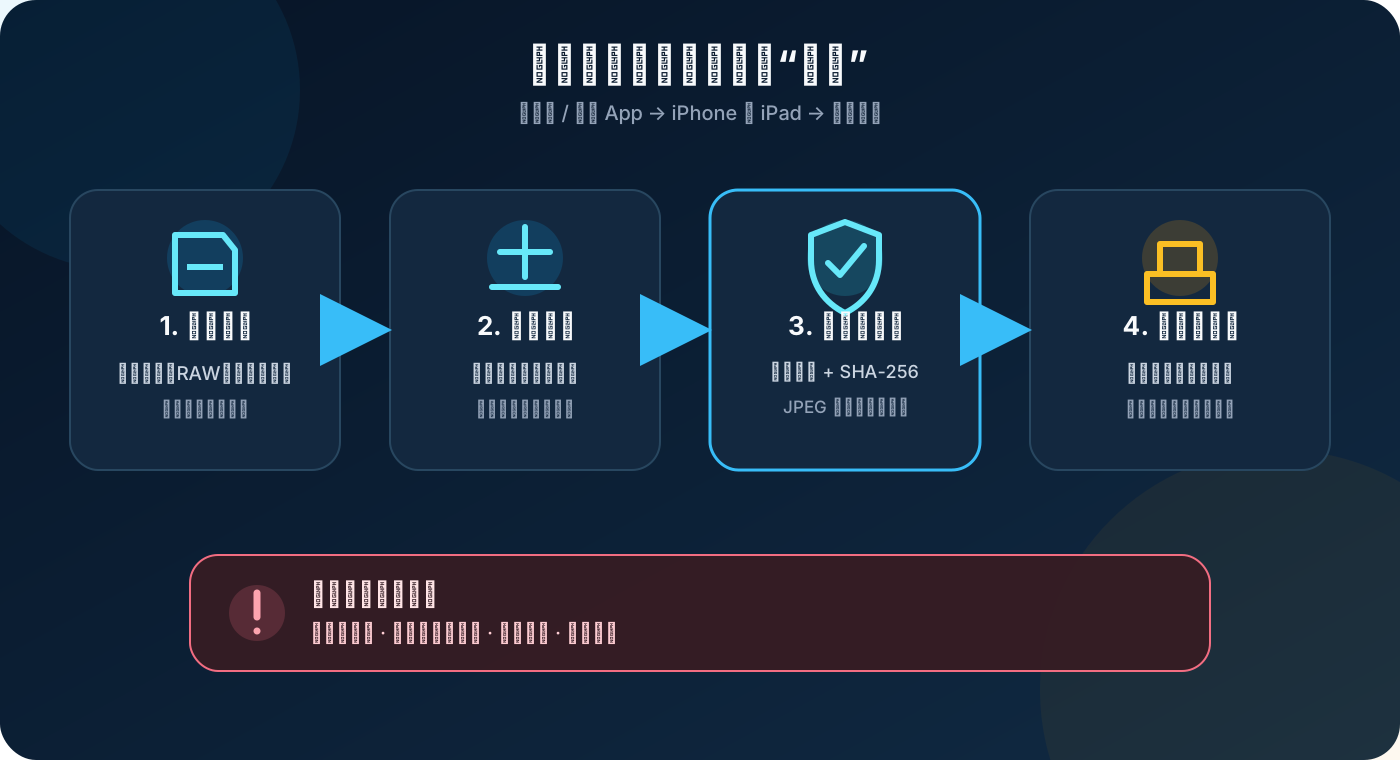
The design can't eliminate physical drive failures, nor guarantee that "nothing is ever lost." It targets the more common human and process risks: a broken transfer leaving half a file, copied content that doesn't match, and mistaking "the system reported no error" for "a reliable copy exists."
Multiple Cards and the Photos App Can Join One Queue
On a shoot, sources rarely come alone. A camera, drone, action cam, and phone can each produce a batch of assets within a single day.
CamMan supports queuing multiple source cards—you don't have to babysit the whole flow again for every card. Batches run consecutively and finish with a summary of counts, data volume, elapsed time, and average speed.
Original assets inside the system Photos app can join the queue too.
That's more complex than exporting plain files, because one item you see may map to multiple files underneath:
- A Live Photo pairs a still image with a video;
- A burst contains a group of members;
- Some assets carry multiple original media resources.
CamMan enumerates the required resources first, then copies and verifies the whole set. If one required member is missing or unverifiable, the asset is kept. Only when every required file passes verification does the app ask the system to remove the originals matching this exact export.
Assets edited inside the system Photos app export as original media, without the system's non-destructive edits. The app makes this explicit before import, so you don't assume you'll get the edited version you see on screen.
Name Collisions Should Never Be Decided Silently
Camera filenames repeat easily. Two different cards can both contain DSC00001.JPG or C0001.MP4.
When the target drive already has a same-named file, auto-overwriting may lose old material, and auto-skipping may miss new material. The program doesn't have enough information to make that irreversible call for you.
CamMan records name collisions as a separate state in the report, shows source vs. target details, and lets you choose skip or overwrite.
Even after you choose overwrite, it isn't a blind replace-and-hope. The new file still goes through copy, SHA-256 verification, and final commit; on failure, the original target file is preserved as much as possible.
Photo Browsing and Sharing Built for Photographers
Material on cards can be browsed directly in the app. Filter photos and videos separately, view EXIF, tag photos and filter by tags, and delete photos or share them through the system share sheet.
For photographers who shoot JPG and RAW into the same folder, CamMan auto-folds same-named JPG/RAW pairs and shows the JPG by default, with a manual switch to view RAW files.
For video shooters, the app plays clips at normal or variable speed; for burst shooters, it supports rapid photo flipping so you don't swipe one by one; and for those who shoot RAW but deliver fast, sharing a RAW photo to a client automatically converts it into a JPG the client can actually open—instead of a large, unpreviewable RAW file.
Collect Favorite Shots as Shooting References
Beyond offloading, CamMan lets you build a private "shooting reference" library.
Composition, scenes, poses, and color references seen in the photo library, Files app, or on the web can be imported into a local library, then organized by client, project, location, or theme with tags.
Web import reads a page and extracts candidate images; you pick what's actually worth keeping. Both photos and videos can serve as reference material.
What it solves isn't "do you have a collection," but helping you plan what kind of photo to take, and where.
Who CamMan Is For
If you only shoot a few dozen frames at a time and can always run a double backup on a computer at home right away, a mobile export tool isn't a necessity.
CamMan suits these scenarios:
- You don't want to carry a laptop while traveling;
- One shoot spans multiple cards of assorted types—TF/SD/CFast/CFexpress and so on;
- RAW, bursts, or long video fills cards fast;
- You need original Photos-library assets moved to an external drive;
- You care about when a source card can be safely cleared;
- You want reference shots scattered across the web and your albums organized for the long run.
The free version exports up to 1,000 files per session and keeps 100 files in the reference library; subscribing to Pro removes both limits.
Closing Thoughts
Photography is, in the end, a negotiation with time: the shutter fires, light hardens into files, curled up on that little card. What we fear is never a full card—it's irreplaceable moments with nowhere to land.
So behind "will my cards be enough," the answer I actually want isn't a bigger card, but a card I can clear with peace of mind.
When every asset has been verified and safely settled, formatting stops being a nerve-wracking gamble and becomes a farewell on light feet: the card is empty, the story is saved, and tomorrow it can hold new light again.
May your next departure be lighter, your shutter busier, and your sleep sounder.